
ServiceNow is designed to be configured, not rewritten. When organizations treat the platform like a blank canvas for custom code, they trade short-term flexibility for long-term risk — harder upgrades, fragile integrations, and rising maintenance costs.
At Sotiotech, we help enterprises adopt a configuration-first mindset: use out-of-the-box capabilities wherever possible, extend thoughtfully, and align every customization to a measurable business outcome.
Why over-customization happens
Teams often customize because legacy processes are copied into ServiceNow without redesign, stakeholders demand pixel-perfect parity with old tools, or delivery timelines pressure developers to script around platform constraints instead of rethinking workflows.
10 signs you're over-customizing
More than 30% of your implementation relies on custom scripts for core ITSM flows.
Upgrade readiness assessments consistently flag high-risk customizations.
Business rules duplicate logic already available in Flow Designer or IntegrationHub.
UI policies and client scripts replace standard form layouts without UX justification.
Custom tables mirror CMDB or task tables instead of extending them.
Every new requirement defaults to a scoped app rather than platform configuration.
Developers are the only people who can explain how a process works.
Regression testing takes weeks before each ServiceNow release.
Third-party integrations bypass standard MID Server and API patterns.
Leadership cannot articulate which customizations drive ROI versus habit.
The configuration-first alternative
Start with ServiceNow best-practice process maps, then configure workflows, SLAs, assignment rules, and catalog items before writing code. Use Platform Analytics and Performance Analytics to validate that configured flows meet KPIs — only then consider targeted extensions.
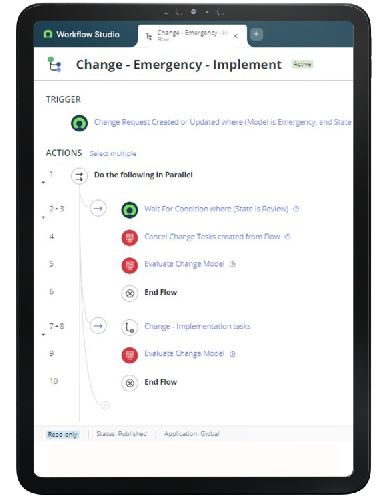
Configuration-first delivery keeps your ServiceNow estate upgrade-ready.
The most successful ServiceNow programs we see treat customization as a last resort — not a default. Configuration scales; unnecessary code compounds.
What to do next
Run a customization audit mapped to business outcomes. Retire redundant scripts, consolidate duplicate tables, and document every remaining extension with an owner and upgrade impact rating. Partner with certified experts who prioritize platform longevity over quick fixes.